The rules assistant
Ask about Genius conventions or proofreading. It reads your 'scribe only after you allow it.
Ask a question
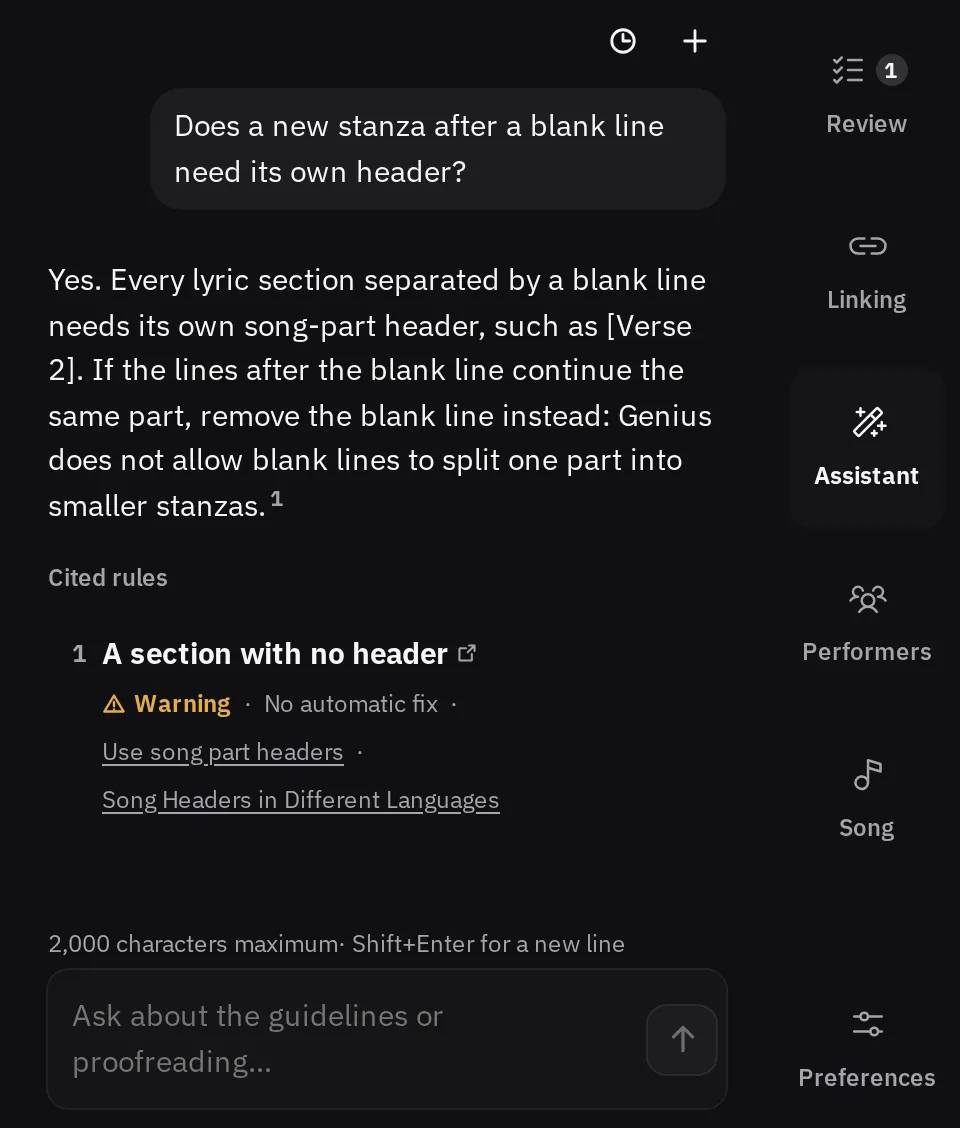
The rules assistant answers questions about Genius transcription conventions, proofreading, grammar, and wording. It is optional, and it is the one part of LyricLint that uses AI. The checks themselves are reviewed rules that run in your browser.
- In the workbench, open the Assistant tab beside Review and Linking. On a phone, it is under Tools.
- On the guidelines pages, press Ask a question to open Ask LyricLint.
- Type into Ask about the guidelines or proofreading…, or press one of the suggested questions.
- Press Enter or Ask. ShiftEnteror ShiftEnteron a Mac starts a new line.
A question can be up to 2,000 characters. The first question of a session may ask you to complete a quick check before it is sent, and each browser has a daily number of questions. The assistant tells you when only a few are left.
When a reviewed LyricLint rule applies, the answer cites it, and you can open that check's page from the answer. If a question does not get an answer, it stays in the conversation with a Retry button.
What it can see
The assistant receives what you type into it, with the recent turns of the same conversation. When older messages were left out of that context, a line in the conversation says so.
It cannot see your 'scribe unless you allow it. When a question needs the lyrics, the assistant asks first: The assistant would like to read this 'scribe to answer your question.
- Allow shares this 'scribe with it when it asks to read it.
- Deny keeps this 'scribe private.
Your answer is remembered for that 'scribe alone, so another 'scribe is asked separately. To change it, press New chat. Under the suggested questions, Stop sharing this 'scribe takes back an Allow, and Ask again before sharing this 'scribe undoes a Deny.
From the guidelines pages, the assistant has no 'scribe to read. Messages are processed by Anthropic through Cloudflare. The privacy page says exactly what is sent and kept.
Suggested edits
With permission to read, the assistant can point at lines in your 'scribe and suggest changes. Nothing changes until you approve it.
- Quoted lines. Press a quote to show it in the editor.
- Proposed edits. Each shows the removed and added text and a note. Point at it, or focus it, to preview the change in the editor. Approve applies it as one edit, and Reject sets it aside.
- Section links. The assistant can also propose linking or unlinking repeated sections, with the same Approve and Reject.
An approved edit is an ordinary edit, so CtrlZor CommandZon a Mac takes it back. If the lyrics changed since the suggestion, it may not apply, and the card says Failed. with the reason.
Conversations
Conversations are saved in this browser, never on a server, and are not part of a workspace backup.
- New chat (the plus) starts a blank conversation.
- Conversations (the clock) lists earlier ones. Press one to open it again.
- To delete one, press the trash button on its row, then Delete.
Opening a different 'scribe starts a blank chat. Earlier conversations stay under Conversations, and you can open any of them with the current 'scribe.