Catch Genius formatting problems before you submit.
Paste your lyrics to check their formatting. See what needs fixing and read the source behind each suggestion.
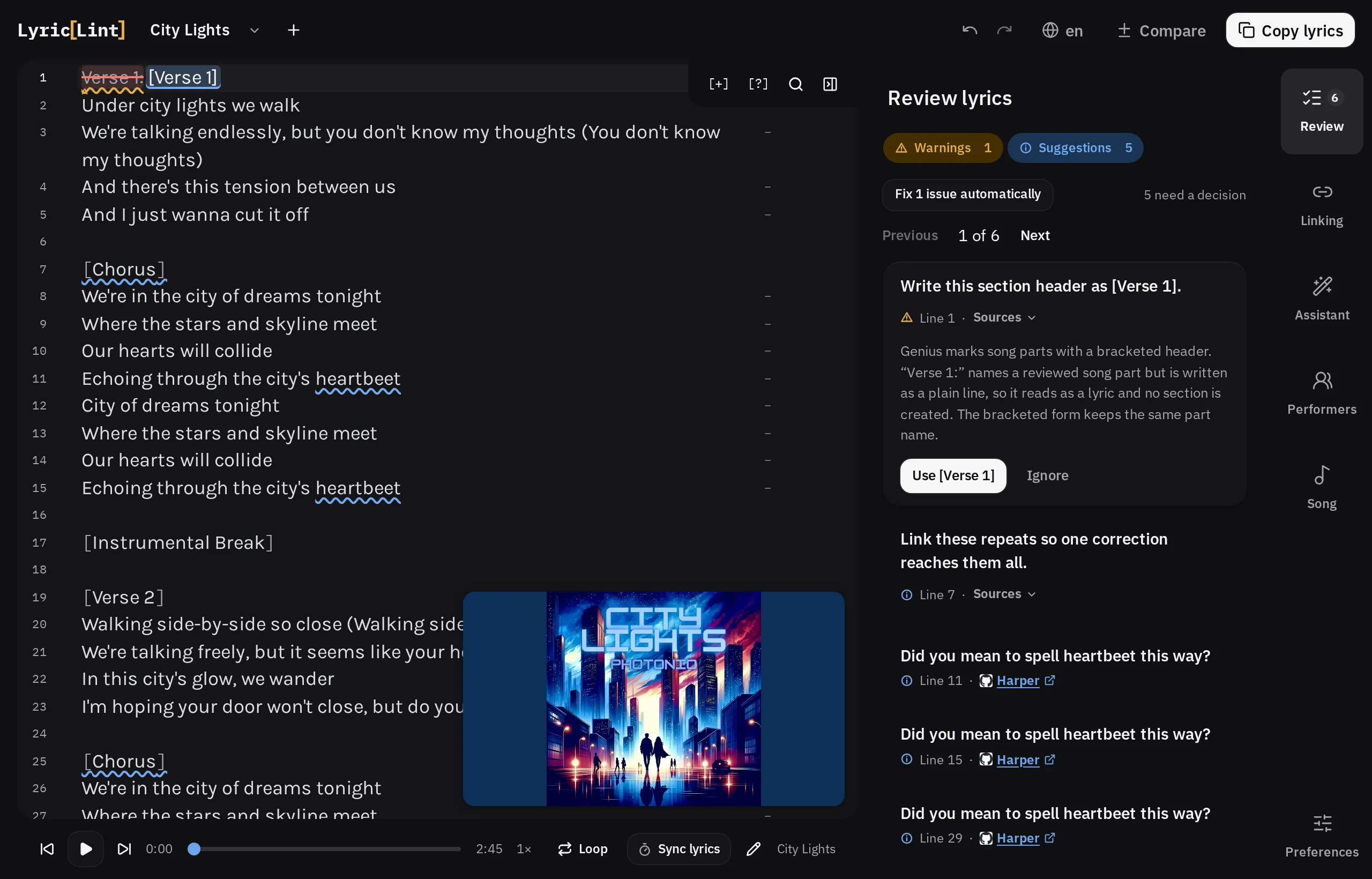
Keep your hands on the lyrics.
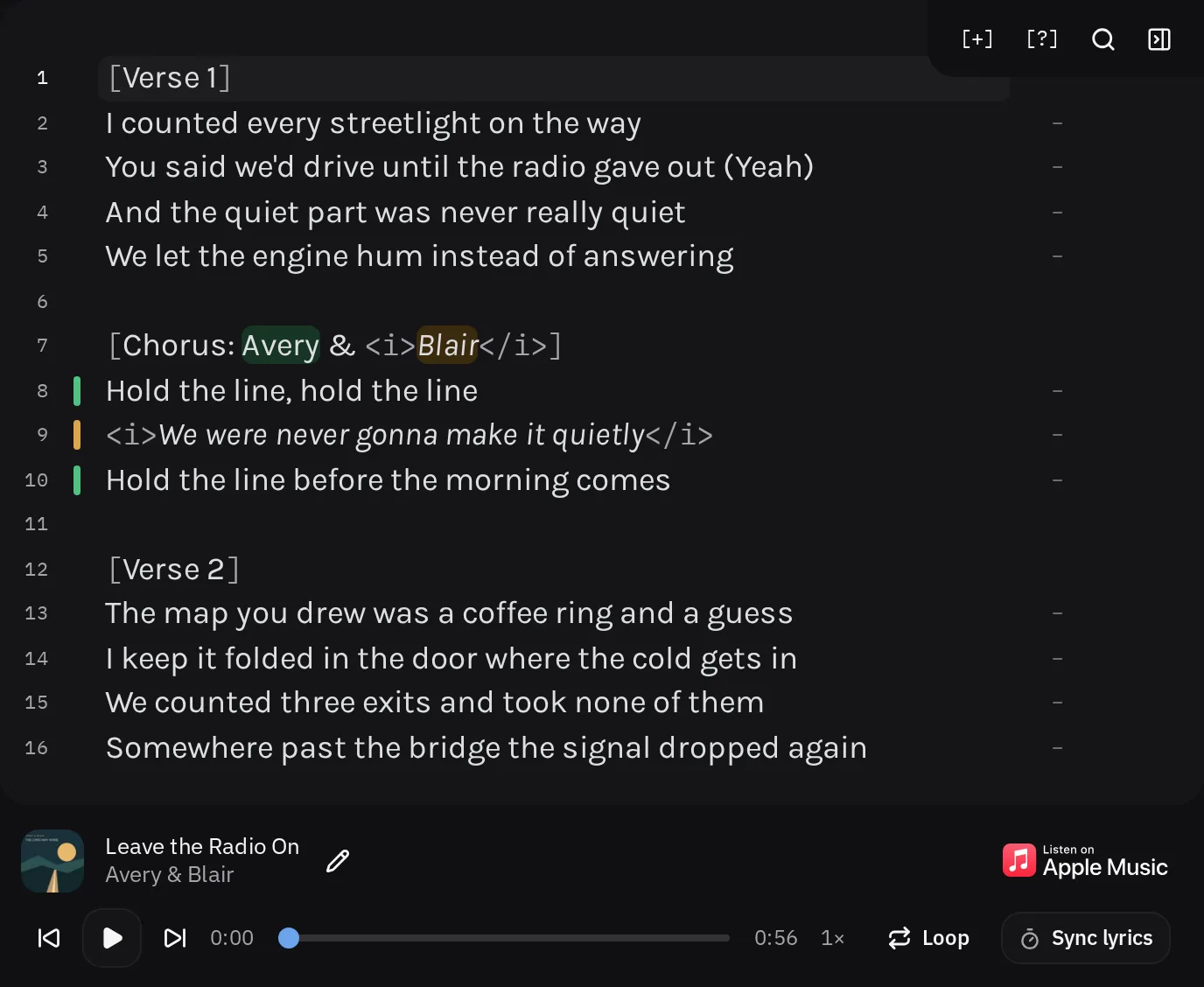
Play YouTube or Apple Music beside your draft. Pause, type, and replay without switching tabs.
Pause. Type. Hear it again. Press Esc to pause. Press it again to replay the last two seconds and carry on.
Jump straight to a line. Choose Sync lyrics, then tap Space as each line starts. Click a line number to play from there.
Shift + Esc back Option / Alt + Esc forward
Loop a tricky passage, or slow down YouTube playback when the video supports it.
Bring the credits and cover to Genius.
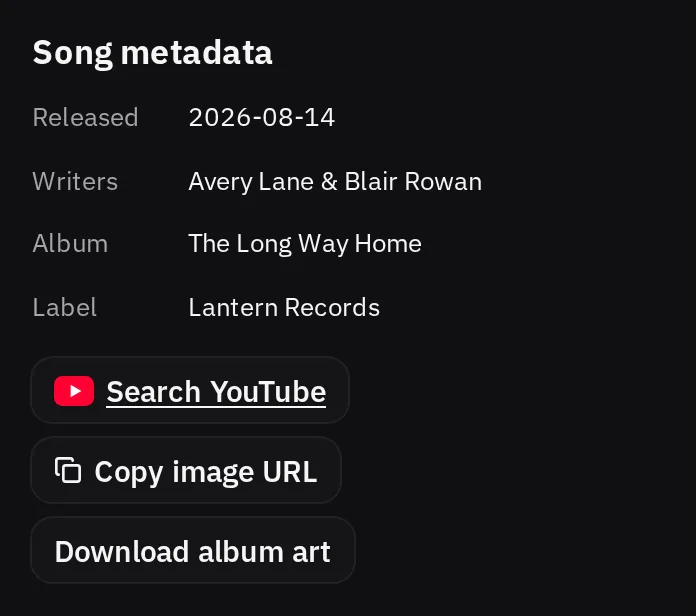
Apple Music brings the song details, too. See the writer credits and release details Apple provides in the Song panel. Click a value to copy it, including individual writer names.
Copy the album art’s image URL or download the cover, ready for adding the song to Genius. The details you need stay beside the transcription you’re working on.
Full-track Apple Music playback requires an Apple Music subscription. Credits vary by release, so check them before submitting.
Verse 1:
I counted every (?) on the way
You said we'd drive until the radio gave out (yeah)
You can also select words and credit them to Avery or Blair.
Try the editor right here.
Try fixing the section header, the (?) marker, and the lowercase
ad-lib. Hover over an underline to see the suggested fix, then try it in the lyrics.
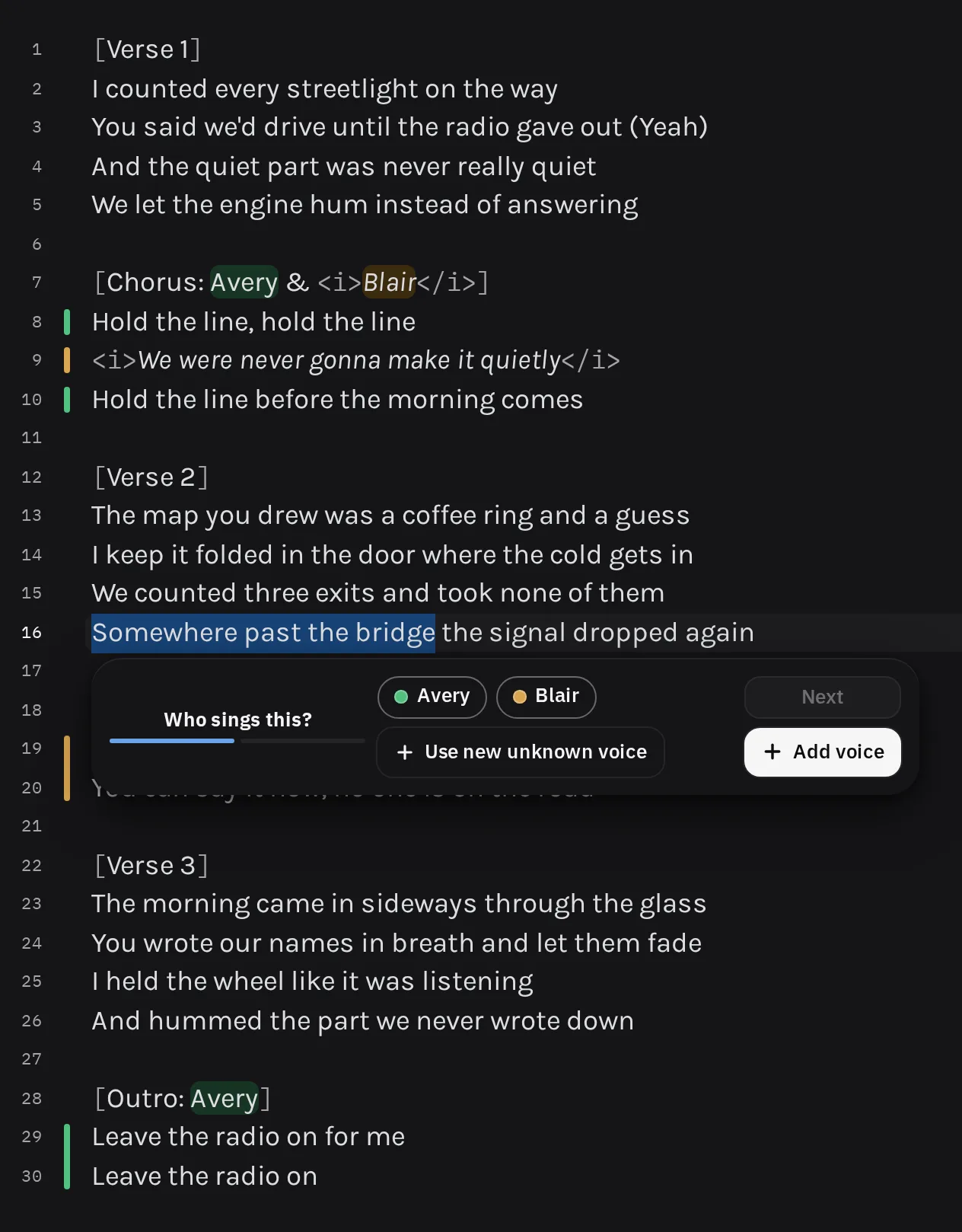
Select the words. Choose who sings them.
Genius uses HTML to mark who sings each line. The tags need to match the performer names in the section header. Keeping them in sync by hand takes time.
Select the words and choose a performer. LyricLint adds the markup and updates the header in one edit. You can undo it in one press. Colours help you follow each voice in the editor. The colours stay in the editor. Your copied text contains only Genius markup.
Try it in the demo above. Fix the section header first, then select some words and choose Avery or Blair.
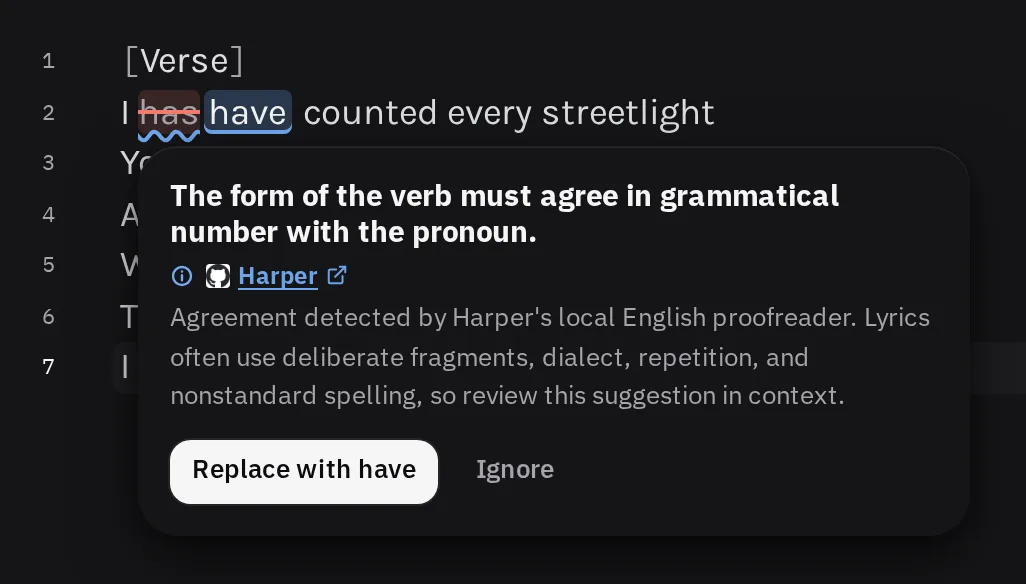
Spelling and grammar that never leave the page.
Harper checks English spelling and grammar in your browser. It is open source. Your lyrics are never sent to Harper or a LyricLint server for these checks.
Lyrics often bend grammar rules. You review every Harper suggestion before applying it.
Its dictionary includes performer names and Genius spellings like ayy. LyricLint follows the Genius rules when the two disagree.
Every warning carries its source.
60 reviewed checks cover headers, performer markup, punctuation, and spelling. Each finding links to its source and explains the problem. Checks based on LyricLint's own interpretation say so on their pages.
You make the judgement calls. Review the suggested edit and decide what fits the song.
- No account needed. Check your lyrics without uploading them.
- Saved in your browser. Reopen the page to pick up your saved draft.
- Works offline once loaded. Keep editing and checking without a connection.
Your lyrics stay in your browser.
Editing and checking happen on your device. Optional features can connect to other services when you choose to use them.
Play an audio file from your device without uploading it or storing a copy in the browser. YouTube, Spotify, and Apple Music load their own players and need an internet connection.
The rules assistant sends your question and recent chat messages to an answering service. It can read your draft only after you give permission for that draft. You can revoke access at any time. Read the privacy details.
The transcription guide in one place.
Genius guidance is spread across staff guides, accepted annotations, and forum rulings. We bring it together in 57 reviewed entries across 10 topics. Each entry explains a convention and links to its source. The guide also covers choices a linter cannot check.
Each entry shows who backs it. Staff guidance ranks first, followed by editor-reviewed annotations, then outside references and community writing. LyricLint's own preferences are clearly labelled. Entries link to any related checks, and those checks link back to the guide.
Open the transcription guide. You can read it without opening the workbench.
What it is not.
- Not a way to edit Genius
Copy your finished text and paste it into Genius.
- Not an automated transcriber
You write the lyrics. LyricLint checks them against reviewed rules. The optional AI assistant answers questions about the guidelines.
- Not a live scraper
Reviewed rules come with the app. Checks do not fetch guidance from Genius while you work.
- Not a rewriter
You choose which fixes to apply. LyricLint does not rewrite your lyrics on its own.
Help make LyricLint better.
LyricLint is open source. The code, rules, and demo scripts are all on GitHub. Open an issue to report a mistake or ask for a feature. Contributions of any size are welcome.
Join the Discord to discuss a guideline, ask a question, or talk about transcription.
Submit it right the first time.
LyricLint is free and needs no account. Paste your lyrics and see what it finds.